Kirk here with some information about a language learning (memorization) tool I've been working on for several years now. The app is not specific to Kumamoto but it came up in discussion about a post I made yesterday. Here's a link to that post, which was about Japanese classes in Kumamoto:
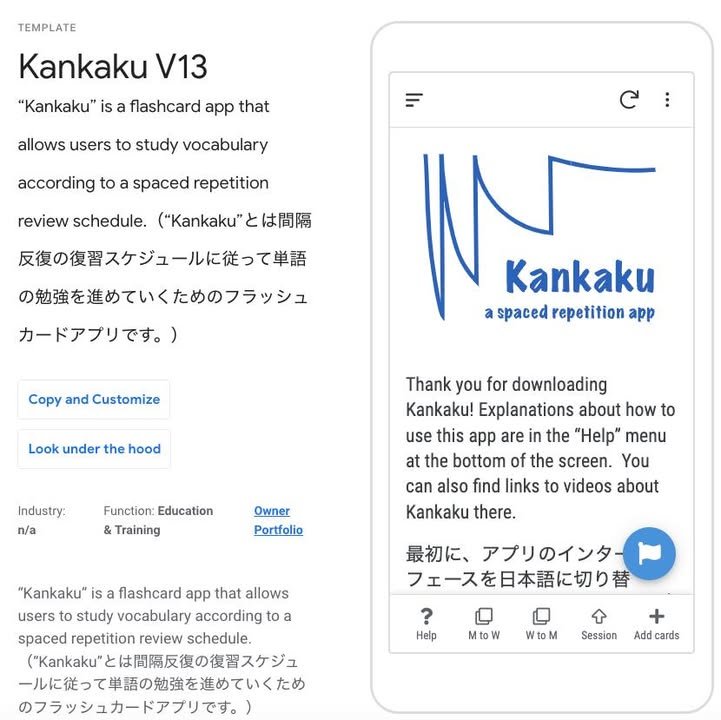
In a comment, I posted about a flashcard app I've been building over the past seven years or so. Though I'm not completely ready to go public with it, I'm pretty close. "Kankaku V13" is a beta version of the app I'm hoping to try to promote in earnest next year.
Note: Even though I'm using the word "promote," this project of mine is essentially the same as Kumamoto International -- completely free, no financial gain for me; I'll just be happy if other people find my app to be useful.
I'm not quite ready to go completely public with the app but, on the other hand, since it's still being developed, I'll be more than happy to respond to individual Kumamoto International readers who try it out but encounter difficulties or have questions.
Here are some links you'll need to get started:
1. Introduction to AppSheet
I built my app on the AppSheet platform, which is now part of Google. AppSheet is a so-called "no-code" platform, which made it relatively easy to put it together ("relatively" is the operative term -- it wasn't easy ;) ). My use of AppSheet also makes it possible for me to publish the app, which I call "Kankaku" as a free template. You will probably want to watch the first couple of sections of the following video in order to learn how the platform works:
https://kmasden.blogspot.com/2021/03/how-i-use-appsheet-in-my-classes.html
2. Link to a page where you can copy the Kankaku template
https://www.appsheet.com/templates?appGuidString=6d5506ec-ae1e-48d4-aecf-2873b346b67a
3. Link to a page explaining how to start using templates like Kankaku on a mobile phone
https://www.googlecloudcommunity.com/.../How.../m-p/461422
4. Link to a video explaining how to set up Kankaku to study Japanese effectively
https://www2.kumagaku.ac.jp/teacher/~masden/2023/Introduction_to_Kankaku.mp4
In the video, I point out some ways in which Kankaku differs from Anki. Anki is a very well-know flashcard app that, like Kankaku, is based on a spaced-repetition scheduling algorithm.
Fun fact: The creator of Anki used to live in and started to develop his app right here in Kumamoto. Many years ago he used the Kumamoto International mailing list (the predecessor to this Facebook page) to promote it. You can read about Anki's connection to Kumamoto here:
--- start quote ---
Damien Elmes developed one popular program, Anki, after becoming frustrated with forgetting material while studying Japanese.
The Australian computer science graduate, who teaches English in Kumamoto, Japan, says a friend introduced him to the concepts behind the open-source program.
--- end quote ---
https://archive.vn/dFaIm#selection-819.1-821.159